


Don't Let Dead Pixels Ruin Your Show: A Guide to LED Pixel Repair & Maintenance
Oct 13, 2025
Leave a message
Don't Let Dead Pixels Ruin Your Show: A Guide to LED Pixel Repair & Maintenance
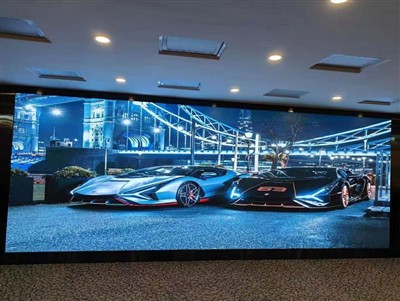
LED display screens are widely used in fields such as advertising, stage performances, and sports events due to their high brightness, high contrast, and long lifespan. However, issues like pixel point malfunctions (such as dead pixels, blind pixels, and color spots) not only can disrupt the integrity of the displayed image but also lead to equipment failures, affecting the overall display effect. This article will systematically elaborate on the repair and maintenance strategies for LED pixel points from three dimensions: fault causes, repair methods, and preventive measures.
I. Causes and Classifications of Pixel Point Malfunctions
1.Hardware Failures: The Primary Culprits
LED Lamp Bead Failures
Aging Issues: Over time, the fluorescent powder layer in LED lamp beads may degrade, leading to brightness attenuation or color shifts. Cracks in the solder joints between the gold wire and the chip, caused by thermal expansion and contraction, can result in circuit breaks.
Manufacturing Defects: Bubbles or impurities during the encapsulation process can reduce the heat dissipation performance of the lamp beads, accelerating light decay. Electrostatic discharge (ESD) can directly damage the internal structure of the chip.
Mechanical Damage: During transportation or installation, impacts to the display screen may cause the lamp bead leads to break or the encapsulation layer to rupture.
Drive Circuit Anomalies
Drive IC Failures: Issues such as poor soldering, overheating, or excessive voltage in the IC can cause abnormal output signals, resulting in color distortion or complete failure of the pixel points.
Capacitor and Resistor Problems: Swollen capacitors or burned resistors can disrupt circuit stability, causing local power supply deficiencies or voltage fluctuations.
Poor Ribbon Cable Contact: Oxidation, looseness, or breakage of the ribbon cable interface can lead to signal interruptions or interference.
Power Supply System Issues
Voltage Instability: Deviations in the output voltage of the power module from the nominal value (e.g., 5V ± 0.5V) can burn out the lamp beads or drive ICs.
Current Overload: Prolonged operation under excessive load can cause overheating of the power supply components, shortening their lifespan.
2. Environmental Factors: Hidden Threats
Temperature and Humidity
High-Temperature Effects: When the ambient temperature exceeds 50°C, the light decay rate of the lamp beads accelerates, and the performance of the drive ICs declines, potentially leading to thermal runaway.
Low-Temperature Risks: Temperatures below -20°C may cause material contraction, leading to poor contact or detachment of the lamp beads.
Humidity Erosion: When the humidity exceeds 65%RH, moisture can penetrate the circuit board, causing short circuits or corrosion.
Dust and Dirt
Dust accumulation can obstruct heat dissipation, increasing local temperatures by 10%–20% and accelerating lamp bead aging. Dirt covering the lamp bead surface can reduce light transmittance, affecting the display effect.
Electromagnetic Interference
Strong electromagnetic fields (such as those near high-voltage lines or large motors) can interfere with signal transmission, causing pixel points to flicker or exhibit abnormal colors.
3. Operational and Maintenance Errors: Human Negligence
Improper Installation: Failing to use professional tools to secure the display screen may cause circuit board deformation or ribbon cable breakage.
Incorrect Cleaning: Using sharp tools to clean the screen can scratch the lamp beads or damage the protective layer. Cleaning without powering off can pose an electrocution risk.
Parameter Setting Mistakes: Excessively high brightness or refresh rate settings can accelerate lamp bead aging. Incorrect color temperature adjustments may lead to color deviations.
4. Fault Types and Manifestations
Dead Pixels (Constantly Lit): Pixel points that remain lit when they should be off, usually caused by lamp bead short circuits or abnormal drive IC outputs.
Blind Pixels (Constantly Dark): Pixel points that do not respond when they should be lit, often due to lamp bead circuit breaks or insufficient power supply.
Color Spots: Pixel points with colors that deviate from the normal range (e.g., overly red or green), possibly caused by inconsistent lamp bead color temperatures or incorrect drive parameters.
Flickering: Periodic on-off cycling of pixel points, typically related to unstable power supplies or signal interference.
II. Detailed Explanation of Pixel Point Repair Techniques
1.Pre-Repair Preparations
Safety Power-Off: Before repairing, the power must be cut off to avoid electrocution risks. If on-site detection is necessary, wear insulating gloves and use an isolation transformer.
Tools and Materials
Diagnostic Tools: Multimeters (for voltage and resistance measurements), microscopes (for locating minor faults), and oscilloscopes (for analyzing signal waveforms).
Repair Tools: Soldering irons (350°C ± 10°C), solder wire (containing flux), precision tweezers, and desoldering pumps.
Replacement Components: Lamp beads of the same model (checking wavelength, voltage, and brightness), drive ICs, capacitors, and thermal grease
2.Step-by-Step Repair Process
Fault Location
Visual Inspection: After powering on, observe the screen and mark the locations of dead pixels, blind pixels, or color spots.
Software Detection: Use pixel detection software to generate a fault map, accurately locating the coordinates of the malfunctioning pixels.
Circuit Analysis: Use a multimeter to measure the voltage and resistance around the fault point to determine if the issue lies with the drive IC or ribbon cable.
Lamp Bead-Level Repairs
Dead Pixel Repair:
Step 1: Use a hot air gun (350°C) to heat the solder joints around the faulty lamp bead. Once the solder melts, use tweezers to remove the lamp bead.
Step 2: Clean the residual solder on the solder pads, ensuring no oxidation or impurities remain.
Step 3: Dip the leads of the new lamp bead in a small amount of solder and align them with the solder pads for welding. Note the polarity (the longer lead is the positive terminal).
Step 4: Use a microscope to inspect the solder joints for fullness, ensuring no cold solder joints or short circuits.
Blind Pixel Repair:
If the issue is a lamp bead circuit break, follow the dead pixel repair process to replace the lamp bead. If it is a power supply problem, check the output voltage of the drive IC and replace it if necessary.
Color Spot Repair:
Adjust the RGB values of the faulty pixel point through the control software. If this is ineffective, replace the lamp bead.
Drive Circuit Repairs
Poor Soldering Repair: Use a micro soldering iron to re-solder the drive IC pins, keeping the temperature below 300°C to avoid damaging the chip.
Component Replacement: If capacitors are swollen or resistors are burned, replace them with components of the same specifications and clean the residual solder on the solder pads.
Ribbon Cable Repair: Check if the ribbon cable interface is loose or oxidized. Clean the interface with an alcohol-soaked cotton swab and re-insert it. If the ribbon cable is broken, replace the entire cable.
Power Supply and Signal Repairs
Power Module Inspection: Use a multimeter to check if the input/output voltage meets the nominal value (e.g., 5V). If not, inspect the rectifier bridge and filter capacitors for damage.
Signal Transmission Optimization: Replace HDMI/DVI cables with better shielding performance or add repeaters to the signal link to reduce signal attenuation.
Post-Repair Verification
Functional Testing: After powering on, play test images (such as solid colors, gradients, and dynamic videos) to check if the repaired points have returned to normal.
Aging Testing: Continuously operate the display for 4–8 hours to observe if the repaired points exhibit recurrence or new faults.
Data Recording: Establish a repair archive, recording the fault type, repair method, and replaced component information to provide references for future maintenance.
III. Preventive Maintenance Strategies
1.Daily Cleaning and Inspection
Screen Cleaning:
Use a soft non-woven cloth dampened with a small amount of alcohol (concentration ≤ 75%) to gently wipe the screen surface, avoiding scratches on the lamp beads.
Clean the dust from the heat dissipation holes once a month to prevent blockage and maintain heat dissipation efficiency.
Connection Inspection:
Regularly check if the power and signal cables are loose or damaged, ensuring the interfaces are free of oxidation.
Inspect if the fixing screws are tight to prevent screen displacement due to vibrations.
2. Environmental Control
Temperature and Humidity Management:
The recommended operating temperature range for the display screen is -20°C to 50°C, with a humidity level of ≤ 65%RH.
In high-temperature or humid environments, additional cooling fans or dehumidifiers may be required.
Dust and Corrosion Prevention:
Install protective covers or filters to reduce dust ingress.
Avoid long-term use in corrosive gas environments (such as chemical plants). If necessary, adopt a sealed design.
3. Software and Parameter Optimization
Brightness and Refresh Rate Adjustments:
Adjust the screen brightness according to the ambient light intensity to avoid accelerated lamp bead aging due to prolonged high-brightness operation.
Set the refresh rate above 1920Hz to reduce eye strain caused by flickering.
Content Management:
Avoid displaying static images for extended periods and regularly change the displayed content to prevent "screen burn-in."
Use dynamic backgrounds or rotation functions to evenly distribute the usage of pixel points.
Why Choose Us as Your Trusted LED Display Partner?
With 15+ years of manufacturing experience, we are a leading LED display producer serving 60+ countries worldwide. Our core strengths include:
✅ OEM/ODM Support – Customized solutions tailored to your specific needs
✅ Certified Quality – All products meet international standards (CE, RoHS, ISO certified)
✅ Cost-Effective Production – Competitive pricing without compromising quality
✅ Global Logistics Network – Reliable shipping to all major markets
✅ R&D Innovation – Cutting-edge LED technology for superior performance
We specialize in indoor/outdoor LED screens, rental displays, and creative installations. From small batches to bulk orders, our flexible manufacturing capacity ensures timely delivery.
Let's build brilliant visual solutions together! Contact us today for a quote.
📱 WeChat: 86 18676738905
📧 Email: Ledhll88@163.Com
🌐 Website: Www.Hll-Ledscreens.Com
Send Inquiry