


Why Your LED Screen Flickers & How to Permanently Fix It
Jul 17, 2025
Leave a message
Why Your LED Screen Flickers & How to Permanently Fix It
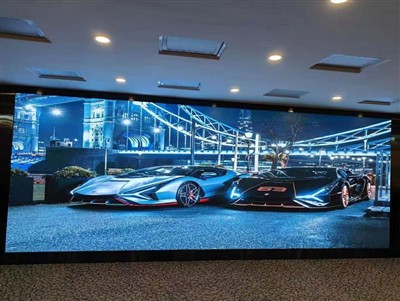
LED screen flickering is one of the most prevalent faults in the use of display devices, manifesting in various forms such as full - screen speckles, irregular flickering, star - like flickering, and flickering around text edges. The root causes of this issue span four dimensions: hardware, software, environmental factors, and human operation, necessitating a systematic investigation and targeted repairs for a thorough resolution. This article provides a comprehensive solution based on technical principles and industry practices.
I. In - Depth Investigation and Repair of the Hardware System
1.Optimization of Power System Stability
Power fluctuations are the primary hardware factor leading to LED screen flickering. When the power output voltage deviates from the rated value (e.g., DC5V ± 0.2V) or when the power is insufficient, display abnormalities can occur directly. The repair steps are as follows:
Voltage Detection: Use a multimeter to measure the voltage at the power output terminal, ensuring it falls within the device's allowable range. If the voltage fluctuation exceeds ±5%, the power module needs to be replaced.
Power Matching: Calculate the total power consumption of the screen (power per module × number of modules) and select a power supply with a rated power 20% higher than the actual demand. For example, if the total power consumption of the screen is 500W, a power supply of 600W or more should be used.
Cable Upgrade: The power cable gauge should meet the current carrying requirements (e.g., a 4mm² copper wire can carry 32A of current) to avoid voltage drops due to an undersized gauge. Additionally, check for oxidation at the power cable interfaces and replace them with gold - plated interface cables if necessary.
Grounding Treatment: Ensure that the power supply housing is reliably grounded to the device frame to prevent interference caused by static electricity accumulation. Outdoor devices require independent grounding electrodes with a grounding resistance of ≤4Ω.
2. Strengthening of Signal Transmission Links
Signal transmission issues account for over 30% of flickering faults, primarily involving network cables, ribbon cables, and control card interfaces. The repair strategies include:
Network Cable Optimization:
Length Limitation: The length of the network cable between the computer and the screen should not exceed 100 meters. If it exceeds this length, a signal repeater should be installed.
Material Upgrade: Use Category 5e or Category 6 shielded twisted - pair (STP) cables instead of ordinary unshielded twisted - pair (UTP) cables.
Connector Handling: Use an RJ45 crimping tool to ensure that all eight core wires are fully connected and in good contact. Avoid using low - quality crystal heads.
Ribbon Cable Inspection:
Dedicated flat cables should be used between modules, avoiding the use of ordinary wires as substitutes.
Regularly check for bent pins on the ribbon cable connectors and correct them with tweezers if necessary.
For areas with high - frequency flickering, try switching the ribbon cable channel (e.g., from A1 to B2).
Control Card Detection:
Observe the status of the control card indicators: a constantly lit power indicator and a flashing communication indicator indicate normal operation. If the indicators are not lit, check the power input and the condition of the card.
Use an oscilloscope to detect the output signal waveform of the control card, ensuring that its frequency and amplitude meet the device requirements (e.g., a common PWM signal frequency of 1 - 2kHz).
3. Maintenance of Driver Boards and LEDs
Driver board failures and LED aging are underlying causes of flickering, requiring detection with professional equipment:
Driver Board Detection:
Use a thermal imaging camera to scan the surface temperature of the driver board. If the local temperature exceeds 85℃, there may be issues such as capacitor bulging or IC overheating.
Check the capacitance of the electrolytic capacitors on the driver board. If the capacitance has decayed by more than 30%, replace them with capacitors of the same specifications (e.g., replace a 1000μF/16V capacitor with a 1000μF/25V capacitor).
LED Fault Location:
Use an LED tester to detect each LED point by point and mark the positions of failed LEDs.
For screens with common cathode or common anode drive architectures, pay attention to matching the voltage and current parameters of the replacement LEDs (e.g., low - voltage LEDs are required for common cathode screens).
In cases of large - scale LED failures, check whether the drive ICs are damaged (e.g., common drive chips such as MBI5124 and TM1814).
II. Precise Tuning of the Software System
Driver and Firmware Upgrades
Incompatibility between graphics card drivers and control card firmware is the primary cause of software - related flickering. The repair process is as follows:
Graphics Card Driver:
Uninstall the existing driver and download the latest version from the chip manufacturer's official website (e.g., for NVIDIA graphics cards, choose the "Studio Driver" instead of the "Game Ready Driver").
In the graphics card control panel, disable the "G - Sync/FreeSync" function to avoid conflicts with the screen refresh rate.
Control Card Firmware:
Contact the device manufacturer to obtain the latest firmware version and upgrade it using a dedicated programming tool.
Before upgrading, back up the current firmware to prevent the device from becoming unusable in case of a failed upgrade.
Optimization of Display Parameters
Incorrect resolution, refresh rate, and color settings can cause flickering and should be adjusted according to the following steps:
Resolution Matching:
Set the graphics card output resolution to the physical resolution of the screen (e.g., 1920 × 1080 for a P3 full - color screen).
For multi - screen tiled displays, ensure that all screens have the same resolution to avoid signal synchronization issues caused by different resolutions.
Refresh Rate Setting:
In the Windows display settings, adjust the refresh rate to the maximum value supported by the screen (e.g., 60Hz, 120Hz, or 144Hz).
For outdoor high - brightness screens, reduce the refresh rate to 30 - 60Hz to reduce heat generation.
Color Mode Adjustment:
Disable graphics card special effects such as "Digital Vibrance" and "Color Enhancement."
In the screen control software, set the color depth to 24 - bit true color (8 bits per channel).
III. Comprehensive Management of Environmental Interference
1.Strengthening of Electromagnetic Shielding
Strong electromagnetic fields (e.g., from transformers, high - voltage lines, and radio transmission towers) can interfere with screen signals through inductive coupling. The control measures include:
Device Layout: Maintain a distance of at least 3 meters between the screen and electromagnetic sources. For immovable devices, install metal shielding covers (e.g., copper foil or aluminum plates).
Cable Shielding: Use shielded signal cables, which are designed to reduce electromagnetic interference. Ground the shielding layer at one end (usually the device end) to ensure proper functioning of the shielding.
Filter Installation: Install an EMI filter at the power input to suppress high - frequency interference (e.g., choose a filter with a cutoff frequency of 150kHz).
2. Temperature and Humidity Control
Extreme temperatures and humidity can cause component expansion/contraction or short circuits, necessitating the following measures to maintain environmental stability:
Temperature Management:
Control the operating temperature of indoor screens between 0 - 40℃. Outdoor screens require air conditioners or heat exchangers.
Avoid direct sunlight on the back of the screen to prevent overheating of the driver board.
Humidity Control:
Maintain indoor humidity between 30% - 80%. Outdoor screens require a waterproof structure (IP65 or higher).
In humid environments, regularly use a dehumidifier to reduce humidity and prevent condensation on the PCB.
IV. Long - Term Maintenance Strategy
1.Regular Inspection System
Establish a monthly inspection mechanism, focusing on the following checks:
Power module output voltage stability (monthly inspection).
Tightness of signal cable connectors (quarterly inspection).
Capacitance of driver board capacitors (semi - annual inspection).
LED failure rate (annual statistics; if the annual failure rate exceeds 1%, analyze the reasons and make improvements).
2. Spare Parts Inventory Construction
Stock key spare parts to shorten repair cycles. It is recommended to configure:
Power modules (10% of the number of screens).
Commonly used ribbon cables (e.g., 10 pieces each of 0.5m and 1m lengths).
Drive ICs (5% of the module types).
Test LEDs (50 pieces each of different colors and specifications).
3. Operation Specification Training
Provide training to users covering the following content:
Power - on and power - off sequence: Turn on the control device first, then the screen; when turning off, turn off the screen first, then the control device.
Brightness adjustment: Avoid using the maximum brightness for extended periods (it is recommended to use a brightness of ≤70% for daily use).
Cleaning method: Use a dedicated screen cleaner (alcohol - free) and a microfiber cloth for wiping. Do not rinse with water directly.
V. Ultimate Repair Verification Standards
After completing the above repairs, the following tests should be conducted to verify the effectiveness:
Stability Test: Run the screen continuously for 72 hours and observe for any flickering.
Environmental Adaptability Test: Operate the screen for 2 hours each in high - temperature (40℃), high - humidity (80%RH), and strong electromagnetic field (1 meter from a transformer) environments to confirm the absence of flickering.
Signal Compatibility Test: Switch between different resolutions (e.g., 1024 × 768, 1920 × 1080, 3840 × 2160) and refresh rates (e.g., 30Hz, 60Hz, 120Hz) to confirm normal display.
Why Choose Us as Your Trusted LED Display Partner?
With 15+ years of manufacturing experience, we are a leading LED display producer serving 60+ countries worldwide. Our core strengths include:
✅ OEM/ODM Support – Customized solutions tailored to your specific needs
✅ Certified Quality – All products meet international standards (CE, RoHS, ISO certified)
✅ Cost-Effective Production – Competitive pricing without compromising quality
✅ Global Logistics Network – Reliable shipping to all major markets
✅ R&D Innovation – Cutting-edge LED technology for superior performance
We specialize in indoor/outdoor LED screens, rental displays, and creative installations. From small batches to bulk orders, our flexible manufacturing capacity ensures timely delivery.
Let's build brilliant visual solutions together! Contact us today for a quote.
📱 WeChat: 86 18676738905
📧 Email: Ledhll88@163.Com
🌐 Website: Www.Hll-Ledscreens.Com
Send Inquiry