


Can LED displays be repaired?
Jan 16, 2025
Leave a message
LED displays are repairable. Here are some blog posts on common faults and repair methods
Issues Related to LED Lamp Beads
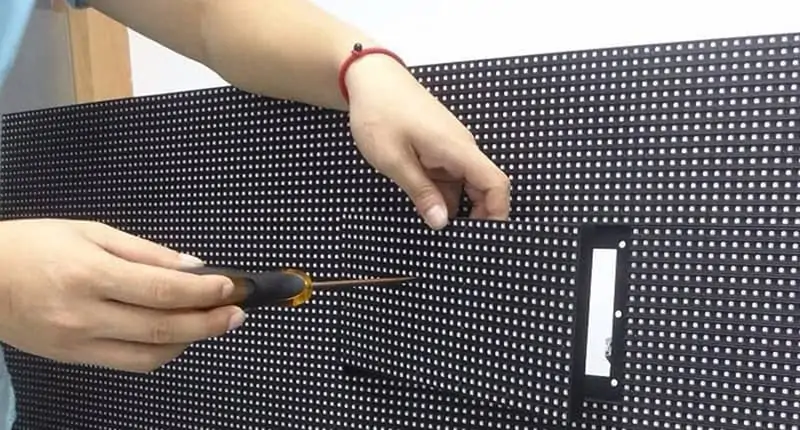
Single Lamp Bead Damage: If only individual lamp beads on the LED display are not lit or damaged, they can be replaced individually. First, the location of the damaged lamp bead needs to be determined. Then, use soldering tools to remove it and replace it with a new lamp bead of the same model and specification. For example, in a full - color LED display, if a certain lamp bead is cracked or aged, resulting in abnormal display, this method can be used for handling.
Multiple Lamp Bead Failures: When multiple lamp beads are damaged, it may be caused by reasons such as unstable power supply or short - circuit in the circuit. It is necessary to check whether the power module is working properly and whether there are open - circuit or short - circuit phenomena in the connection lines between the lamp beads. If the mass damage is due to the quality problem of the lamp beads themselves, it may be necessary to replace the entire module or part of the lamp board.
Power Supply Issues
No Display or Black Screen: Power supply failure is one of the common causes of no display or black screen on the LED display. Check whether the power connection is secure, whether the power cord is damaged, and whether the power module is outputting voltage normally. If the power module is damaged, a new one needs to be replaced in a timely manner to ensure the normal power supply of the display.
Display Flashing or Uneven Brightness: Unstable power supply voltage may cause problems such as display flashing and uneven brightness. A multimeter can be used to detect whether the output voltage of the power supply is stable. If there are fluctuations, it may be necessary to install a voltage - stabilizing power supply or replace the power supply to ensure the normal operation of the display.
Wiring Connection Issues
Flexible Cable Loosening or Damage: The signal transmission of the display is usually completed through flexible cables. If the flexible cable is loose, has poor contact, or is damaged, it will lead to abnormal display, such as some areas not lighting up or a garbled screen. Check whether the connection of the flexible cable is secure. If it is loose, re - insert it; if the flexible cable is damaged, a new one needs to be replaced.
Open - circuit or Short - circuit in the Circuit: Long - term use or external pulling and other factors may cause open - circuit or short - circuit in the internal circuit of the display. The resistance range or short - circuit detection range of a multimeter can be used to detect whether the circuit is normal. For an open - circuit line, the break point needs to be found and repaired; for a short - circuit line, the cause of the short - circuit needs to be investigated and the fault eliminated.
Control Card and Software Setting Issues
Control Card Failure: The control card is the core control component of the LED display. If the control card malfunctions, it may lead to problems such as no display or abnormal display content on the display. Check whether the control card is working properly, such as whether there are phenomena like overheating or strange odors. If necessary, restart or replace the control card.
Software Setting Errors: The display effect of the display is also related to software settings. Incorrect settings of parameters such as brightness, contrast, and color balance may lead to abnormal display. Enter the display's setting menu, check whether the settings of various parameters are correct, and make corresponding adjustments.
Send Inquiry