


How to troubleshoot a P10 LED display?
Dec 24, 2025
Leave a message
Hey there! As a P10 LED display supplier, I've seen my fair share of issues with these screens. Troubleshooting a P10 LED display can seem like a daunting task, but with the right approach, you can get it up and running smoothly in no time. In this blog post, I'll walk you through some common problems and how to fix them.
1. No Power
One of the most common issues you might encounter is that the P10 LED display doesn't power on. First things first, check if the power cable is properly plugged in at both ends - the display and the power outlet. Sometimes, a loose connection can be the culprit.
If the cable seems fine, use a multimeter to check if power is actually reaching the display. If there's no power at the outlet, it could be a problem with the circuit breaker. Head to your electrical panel and see if any breakers have tripped. Flip them back on and see if that solves the issue.
If the power is reaching the display but it still won't turn on, there could be an issue with the power supply unit inside the display. These units can fail over time due to overheating or electrical surges. In this case, you'll likely need to replace the power supply unit. You can get a compatible one from your local electronics store or contact us for a replacement.
2. Dead Pixels
Dead pixels are another common problem. A dead pixel is a pixel that doesn't light up or stays lit all the time. To check for dead pixels, display a solid color image on the screen. If you see any black or constantly lit dots, those are dead pixels.
For a small number of dead pixels, some people try pixel - fixing software. These programs flash different colors at high speeds in an attempt to "wake up" the dead pixels. However, this method doesn't always work.
If the number of dead pixels is significant, it might be a manufacturing defect. In this case, you should contact us. We can help you determine if the display is still under warranty and arrange for a replacement or repair.
3. Color Inconsistencies
Color inconsistencies can make your display look unprofessional. If you notice that some areas of the screen have different colors than others, it could be due to a few reasons.
First, check the calibration settings of the display. Sometimes, the settings can get accidentally changed. Use the control software to access the calibration menu and adjust the color settings until the colors look consistent across the screen.

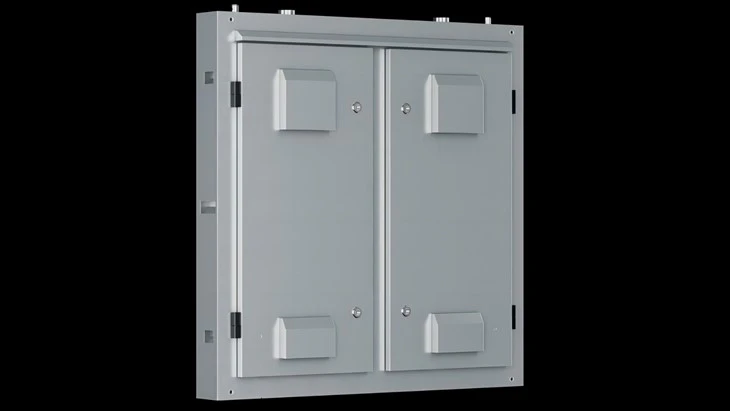
Another possible cause is a problem with the LED driver boards. These boards control the brightness and color of the LEDs. If a driver board is malfunctioning, it can cause color variations. You'll need to open the display carefully and check the connections of the driver boards. If a board seems damaged, replace it. You can find replacement driver boards on our website P10 LED Display Screen Outdoor.
4. Flickering Screen
A flickering screen can be really annoying and might indicate a serious problem. One of the most common causes of a flickering screen is a loose connection between the display and the video source. Check the HDMI, DVI, or VGA cable (whichever you're using) and make sure it's securely plugged in at both ends.
If the connection is fine, the problem could be with the refresh rate. The refresh rate is the number of times the screen updates per second. A low refresh rate can cause flickering. Use the display settings to increase the refresh rate to the maximum supported by your display and video source.
If the flickering persists, it could be an issue with the internal components of the display, such as the power supply or the control board. In this case, it's best to contact us for professional assistance.
5. Water Damage
If you're using an outdoor P10 LED display like our P10 Outdoor Waterproof Led Screen, water damage can be a concern. Even though these displays are designed to be waterproof, heavy rain or flooding can still cause problems.
If you suspect water damage, turn off the display immediately to prevent further damage. Let the display dry completely in a warm, dry place. You can use a fan to speed up the drying process.
After it's dry, try turning it on. If it doesn't work, there could be internal damage to the components. Contact us, and we'll help you assess the damage and determine the best course of action, which might include repair or replacement.
6. Software and Communication Issues
Sometimes, the problem isn't with the hardware but with the software or the communication between the display and the control system.
If the display isn't showing the correct content, check the software settings. Make sure the correct display resolution and image format are selected. Also, check if there are any software updates available for the control software. Updating the software can often fix bugs and compatibility issues.
If the display isn't responding to commands from the control system, check the communication cables. Make sure the RS - 232, USB, or Ethernet cables are properly connected. You can also try restarting both the display and the control system to reset the communication.
When to Call in the Pros
While some of these troubleshooting steps can be done by yourself, there are times when it's best to call in the professionals. If you're not comfortable working with electronics, if the problem persists after trying the above steps, or if you suspect a major internal component failure, don't hesitate to contact us.
We have a team of experienced technicians who can diagnose and fix even the most complex problems with your P10 LED display. We also offer a wide range of replacement parts and accessories to keep your display in top - notch condition.
If you're in the market for a new LED display or need to replace an old one, we also have a great selection of Digital Advertising Signs Outdoor P6 and other models.
Whether you're a small business owner looking to enhance your storefront or a large - scale event organizer in need of a high - quality display, we've got you covered. If you have any questions about our products, need help with troubleshooting, or are interested in purchasing a P10 LED display, feel free to reach out to us. We're here to help you make the most of your LED display investment.
References
- General knowledge of LED display technology and troubleshooting from years of experience as a P10 LED display supplier.
- Industry - standard electronics repair guides and manuals for LED displays.
Send Inquiry